· Updated

Joaquín Trapero in Founder of Nonimo, writing on AI and privacy.
A redaction in Word usually fails during the search, long before the last save. The client turns up as a surname in the header, initials in a footnote and an email handle in a comment, and Word has no button that finds and removes them for you.
So this guide follows the search: every spelling first, then the parts of a .docx that Find never reaches, then the final check on Windows and on a Mac. Settle which details have to go at all beforehand; I distrust any list that stops at names.
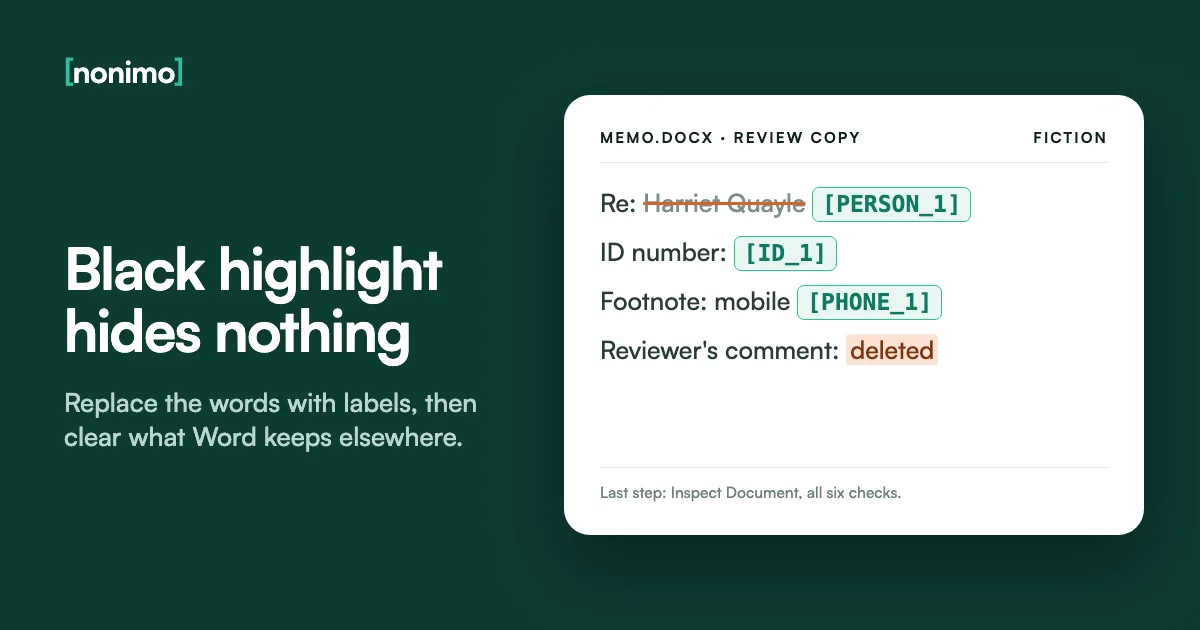
Replace or delete the words; never cover them. On a copy, swap each person for one consistent label with Replace, clear comments and tracked changes, open headers, footers, text boxes and alt text by hand, then run the Document Inspector (Windows) or clear File > Properties (Mac).
Is there a redact tool in Word? What highlight and white font leave behind
Desktop Word gives you formatting, and formatting only tells the screen how to draw characters. A black highlight, black shading, a shape dropped over a line or a white font all change the picture. The characters stay underneath, ready for anything that reads the file instead of the page.
We ran the test on 28 September 2026. We built an invented memo by hand, set an ID number black on black, formatted one line as hidden, and read the file with python-docx, the macOS textutil converter and LibreOffice. All three returned both, in plain text.
The No Markup view belongs on this list as well: it hides tracked edits without settling them, and settling them for good takes its own pass. I don’t trust any method whose result can only be judged by looking at the screen.
Five ways people hide text in Word, and what the .docx keeps
| Method | On screen | In the file |
|---|---|---|
| Black highlight on black text | A solid bar | Every character; all three extractors in our test returned it |
| Shape or text box laid over a line | A box | The line beneath; the Document Inspector cannot detect objects covered by other objects |
| White font on a white page | Blank space | The text; the inspector cannot detect it either |
| Hidden font effect | Nothing | The text; all three extractors returned it |
| No Markup view | A clean final version | Every tracked edit; LibreOffice returned a deleted street address |
Our invented test memo, 28 September 2026, read with python-docx 1.2.0, macOS textutil and LibreOffice. Inspector limits: Microsoft Support. White font: Southern District of Alabama redaction guidance. If a file like this has already gone out, read whether that paste counts as a breach.
Find and Replace: one label per person, every spelling
Replace does the work. On Windows it sits at Home > Editing > Replace, with the detail in Find what and the label in Replace with. On a Mac: View > Navigation Pane, the magnifying glass, Settings, Advanced Find & Replace. Relatives need labels too; for US readers, HIPAA’s safe harbor list counts them.
Microsoft’s own tip is to press Replace rather than Replace All, so you see each hit before it changes. For redaction that is the only safe pace. In our test memo, a search for the client’s full name matched 2 of the 9 places that named her or her family.
Search the surname, first name, initials and email handle separately. Label by type and number, the scheme Nonimo’s tool also uses: [PERSON_1], [PERSON_2], [EMAIL_1]. Role labels such as [CLIENT] fall apart, I suspect, once a second client turns up. Keep in mind that a reversible label is still not anonymous.
Every way the file names the client, and the label for each
An invented file about Ottavia Grimsby, who works at Saltmarsh Cooperage Ltd. The same numbering works column by column in a CSV.
| Written as | Search for | Replace with |
|---|---|---|
| Ottavia Grimsby | Grimsby | [PERSON_1] |
| Ms Grimsby's landlord | Grimsby | [PERSON_1] |
| ring Ottavia on Friday | Ottavia | [PERSON_1] |
| GRIMSBY, O. in the header | Grimsby, Match case off | [PERSON_1] |
| o.grimsby@example.com | grimsby, inside words too | [EMAIL_1] |
| Lucan Grimsby, her brother | Grimsby, reading each hit | [PERSON_2] |
| Saltmarsh Cooperage Ltd | Saltmarsh | [COMPANY_1] |
| Text someone already blacked out | More > Format > Highlight | Delete or label each hit |
Invented example. Find what, Replace with, Replace versus Replace All, Match case and searching by highlight are as named in Microsoft's Find and replace text help. For US readers, a number with a fixed shape such as a Social Security number can be caught with Use wildcards; our SSN guide for US readers has the pattern.
Comments, tracked changes and the names attached to them
A comment lives in its own part of the .docx, and so does the name of whoever wrote it. In our test memo, one comment held the client’s full name and the reviewer’s. None of the three extractors showed it; any tool that opens that part would.
Settle every tracked change and delete every comment on your copy before you start replacing, so you search one version of the text. The author and Last Modified By fields are properties, covered in what a Word or PDF file says about its makers.
Of all of these, resolved comments are the risk I rank highest: once resolved they look finished, yet the text and its author’s name sit in the file until someone deletes them. The checker below opens your own .docx inside this page and counts what is left.
What is still inside your Word file?
Pick a .docx to count unaccepted edits, comments, hidden text and the names stored with them.
A script in this page reads the file on your device and sends nothing anywhere. It does not judge highlighting, white text, headers or text boxes; those are the next section.
Headers, footers, text boxes and alt text
A .docx is a package of parts under the ECMA-376 standard; the Library of Congress notes that headers and footers are separate parts. In our test memo, the header carried the client’s surname and initial, a footnote her mobile number and a text box a note about when to ring her.
Open each one instead of trusting the search to reach it. Double-click the header and footer, then check the first page, an even page and each new section, since each can carry its own. Read the footnotes, and open any embedded workbook, which brings its own hidden rows and sheets.
Alt text is easy to miss, as nobody sees it. Word can offer Generate a description for me, so a photo may carry a written description of the person in it. Where the reader can do without the picture, I’d strip it out rather than edit its description; slides hide the same text.
Places outside the body to open on your copy
Tick each one once you've looked inside it.
0 of 7 opened
Nothing ticked yet.
Keep going: the unticked places are where a detail survives a perfect search.
All seven opened. Now run the inspection in the next section.
Alt text menus from Microsoft Support; header and footer parts from the Library of Congress DOCX description. Letterhead headers are common on engagement letters; for US readers adding AI terms to one, there is sample wording for US firms.
What Inspect Document clears, and what it never reads
On Windows the last check is File > Info > Check for Issues > Inspect Document. Microsoft lists six inspectors for Word and asks you to run them on a copy, because Undo may not bring back what they remove. Tick all six and choose Remove All on each line flagged.
Its blind spots match the tricks in the first table. Microsoft says the Hidden Text check cannot detect white text on a white background, and Invisible Content cannot detect objects covered by other objects. None of the six reads your paragraphs for a name, so a clean report is not a redacted file.
Word for Mac has no inspector, and Word for the web cannot even show properties, per the same help pages. A mixed office of Macs and PCs ends up with two different final checks, and I’d name who signs off each file in the rules your staff follow for AI tools.
Inspect Document in Word, inspector by inspector
What each one clears, and what stays your job afterwards.
| Inspector | Clears | Still your job |
|---|---|---|
| Comments, Revisions, Versions, and Annotations | Comments, tracked-change marks, versions, ink | Names in the body text |
| Document Properties and Personal Information | Author and other stored properties | Names in the body text |
| Headers, Footers, and Watermarks | Header, footer and watermark content | Replacing names first if the header must stay |
| Hidden Text | Text formatted as hidden | White text on a white background, which it cannot detect |
| Custom XML Data | Custom XML stored in the file | Names in the body text |
| Invisible Content | Objects formatted as invisible | Objects covered by other objects, which it cannot detect |
Inspector names, what they clear and the two detection limits: Microsoft Support, Remove hidden data and personal information by inspecting documents. On a Mac, use the checker above and File > Properties instead (Microsoft Support, Inspect document). "Still your job" is our reading: none of the six searches body text.
Save as PDF and redact there, or finish in Word?
Converting does not redact. The Southern District of Alabama’s guidance warns that revision data left in a Word file can be read even after it becomes a PDF, so it puts conversion last, once the source holds nothing you want hidden.
When you convert on Windows, Microsoft’s route is File > Save a Copy, PDF, then More Options > Options. Keep Publish what on Document, not Document showing markup, and untick Document properties. On a Mac it is File > Save As, with PDF chosen under File Format.
A PDF makes sense when the recipient must not edit the text, or when a signature or stamp needs blacking out. That needs a tool that deletes what sits under the box, covered in our guide to PDF redaction. For an AI assistant, I’d send cleaned text, not a file.
Where should this file finish?
Who gets the redacted version?
In a US federal civil case, Federal Rule of Civil Procedure 5.2 lets the filing show only the last four digits of a Social Security or account number, the year of birth and a minor's initials. State courts set their own rules.
For US readers, privilege is a separate question: see whether redaction keeps privilege in the US.
A US filing may also have to say AI was used.
What happens next depends on the provider. Start with ChatGPT's data terms.
Then compare Claude's training settings.
If the file never leaves Word, read Copilot's rules.
PDF options as named in Microsoft's Save or convert to PDF help; conversion order from the Southern District of Alabama.

Handing the search to Nonimo, then reading what it found
The tool at the top of this page does the searching that fills most of this guide. You drop in a .docx, our server processes it, and names, addresses and numbers come back in the same [PERSON_1] scheme as the table above. Before downloading, you can uncover any item that should stay visible.
You download the redacted Word file, or its text as a TXT. If the file is headed for an AI chat, Nonimo’s desktop app for Windows and Mac also redacts Word files on your own device and gives your real details back once the reply arrives; see how the app handles your data.
A model that spots names misses some, just as Find does, so the checklist of hidden places still applies. On a court bundle or a medical file, I’d hold the file back until a second person has reopened the headers and comments. For a weekly .docx, the Nonimo app is on the home page.
What you're redacting decides the tool
Ottavia Grimsby has worked at Saltmarsh Cooperage Ltd since 2019.
[PERSON_1] has worked at [COMPANY_1] since 2019.
For US readers: a photo of a card is an image, not a .docx, and the licence tool covers the number on the card.
For US readers, one route is to cover the number on the US passport data page.
The other keeps it readable and stamps the copy with who it's for.
Invented sentence; the labels show the format, and the exact ones depend on what the tool recognises. Download formats as shown in the tool. Limits for regular use are on the plans page.
Sources
- Microsoft Support: Remove hidden data and personal information by inspecting documents. The Windows route, the six Word inspectors, the white-text and covered-object limits, and the advice to work on a copy.
- Microsoft Support: Inspect document. Word for Mac has no document inspector; File > Properties on Mac; properties unavailable in Word for the web.
- US District Court, Southern District of Alabama: Best Practices, Redaction of Information. White font only looks gone; replace every instance and variant; unpurged revision data stays readable after conversion, so convert last.
- Library of Congress: DOCX Transitional (Office Open XML). A .docx is a ZIP-based package; headers and footers are separate parts.
- Federal Rules of Civil Procedure, Rule 5.2 (Legal Information Institute). What a US federal civil filing may show of a Social Security, taxpayer or account number, a birth date or a minor’s name, unless the court orders otherwise.
- Ecma International: ECMA-376, Office Open XML file formats. The standard behind .docx, with its packaging rules in Part 2, Open Packaging Conventions.
- Nonimo test memo, 28 September 2026. An invented .docx built by hand and read with python-docx 1.2.0, macOS textutil and LibreOffice.
Accessed 10 November 2026.
Common questions
Does Word have a redact tool?
No, desktop Word has no button that redacts. You take the words out yourself with Replace and Delete, then check the file with the Document Inspector on Windows, or by hand on a Mac.
Does black highlighting hide text in Word?
No, it only changes how the line is drawn. The characters stay in the file. In our test, three different text extractors all returned an ID number set black on black.
How do you redact a Word document on a Mac?
Mostly the same way, without the Document Inspector. Word for Mac has none, so you swap details through Advanced Find & Replace, delete every comment, then empty the author and custom fields yourself from File > Properties.
What should I replace names with in a redacted Word file?
A bracketed label with a type and a number, such as [PERSON_1] or [EMAIL_1]. Give every spelling of one person the same label, so a reader can still follow who did what.
Can I redact a Word document by saving it as a PDF?
No, converting removes nothing you hid. A US federal court's redaction guidance warns that revision data can be read even after conversion. Clean the Word copy first, untick Document properties in the PDF options, then check the PDF.
Is white text a safe way to redact in Word?
No, white text is still text. A US federal court's redaction guidance warns about this exact method, and Microsoft says its Document Inspector cannot detect it.
Does the Document Inspector remove names from the body text?
No, it removes kinds of content, not your client's name. It clears comments, revisions, headers, hidden text and properties; the names in ordinary paragraphs are yours to replace.