· Updated

Joaquín Trapero in Founder of Nonimo, writing on AI and privacy.
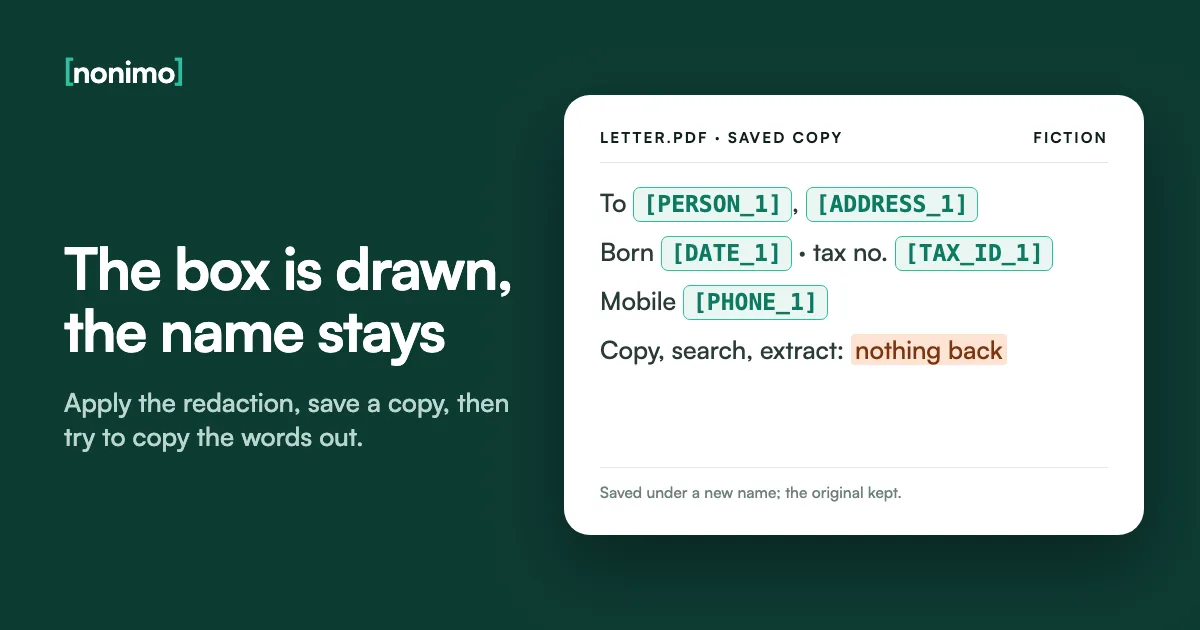
Whether a PDF is redacted is a fact about the saved file, not about how the page looks. Two copies can print exactly the same, while one still holds every covered name as text that copies, searches and uploads perfectly well.
This guide covers the tools that delete characters (Acrobat Pro, Preview, LibreOffice), three tests on the copy you send, and scans. Which details go is a separate decision, made from the list of what usually needs removing. The tests take a minute, and they’re the step I rate highest.
Use a redaction tool and apply it; never a box, highlight or white text. In Acrobat Pro that means marking the content, choosing Apply and saving a new copy. Then reopen the copy and try to copy, search and extract the hidden words. If anything comes back, the redaction failed.
Covering text versus removing it: what our test file showed
A PDF page is a list of drawing instructions. One writes a name at a position, another fills a black rectangle at the same spot, and the viewer runs both in order. Nothing in that list deletes the first instruction, so any program that reads text rather than pixels still finds the name.
Our test ran on 28 September 2026, on an invented letter with five details: name, birth date, address, tax number, mobile. Three versions followed: black boxes drawn over each detail, a redaction function applied to the same spots, and the page flattened into a picture. pypdf then pulled the text from each.
What a text extractor pulled from each version of the letter
Five personal details on the page, the same five covered each time.
| Version | On screen | Details extracted |
|---|---|---|
| Black boxes drawn on top | Five black bars | 5 of 5, in order |
| Redaction applied | Five black bars | 0 of 5 |
| Page saved as a picture | Everything visible | 0 characters of any kind |
Our test, 28 September 2026: invented letter generated with ReportLab, text pulled out by pypdf 6.10.2.
The two black versions looked identical. That is my objection to drawn boxes: nothing on the screen warns you. The same trap turns up in slide decks, where a shape laid over a name on a slide behaves exactly like the box in our letter.
How to redact a PDF in Adobe Acrobat
Adobe’s guide places redaction in Acrobat Pro and uses two labels for it: Tools > Redact in its steps, All tools > Redact a PDF elsewhere, so use whichever your version shows. The marks you draw are only proposals until you choose Apply, and Adobe warns that applied redactions are permanently deleted.
Adobe also says to keep the original and save under a new name. I’d treat that as non-negotiable: applied marks have no undo. For US federal civil filings, Rule 5.2 puts redaction on the filer: four digits of an SSN or account number, the birth year. State courts write their own rules.
Acrobat Pro, six steps from original to redacted copy
Labels as Adobe's own guide names them; yours may differ slightly by version.
Prepare
1. Make a copy of the original PDF and work on the copy2. Open All tools > Redact a PDF, or Tools > Redact3. Select text, or drag a rectangle over text or an imageFinish
4. Optional: Redaction Tool Properties for the colour or overlay text5. Apply, then confirm the warning6. Save As, under a new file nameSource: Adobe, How to redact a PDF.
Step five is the one people skip. A marked file looks done, prints black and saves without complaint, yet the words are still there. Word has a cousin of this problem, where a clean-looking view still keeps tracked changes in the file.
Find Text & Redact, and the hidden layer Sanitize clears
A surname can appear in the letterhead, the salutation, a table and a footer. Adobe’s Redact Text & Images menu includes Find Text & Redact, which searches for a word, a list of words or built-in patterns such as phone numbers, email addresses and dates, then marks every match for you to review.
Searching is only as good as the spelling you type. A name split across two lines, an initial or a nickname slips past. For anything legal or medical, one search leaves me uneasy: run it for each form of the name, then scroll the pages by eye.
Which Acrobat feature removes what
| Feature | Takes out | Leaves alone |
|---|---|---|
| Redact a PDF, then Apply | Marked text and image areas | Anything you didn't mark |
| Find Text & Redact | Every match of your words or patterns, once applied | Spellings you didn't search for |
| Sanitize document | Hidden text, metadata, comments, attachments, scripts | Visible text you didn't redact |
Source: Adobe, How to redact a PDF.
File properties, the author field above all, are their own subject, and clearing metadata from PDF and Word files covers them in detail. Here it is enough to know that applying redaction marks and sanitising are two separate actions in Acrobat.
Redacting in Preview on a Mac: what Apple says it does
Preview has a Redaction Selection tool in its Markup toolbar. Apple’s help says it lets you select text to remove it from view, that you can change the redaction while editing, and that it becomes permanent once you close the document. Apple adds that table of contents entries linking to redacted text aren’t removed.
That wording is narrower than Adobe’s, and I’d never send a Preview redaction untested. Close the file, reopen it, then test. On a long report, check the sidebar contents too, because heading text there survives. A copy you also plan to stamp with the recipient’s name should get its watermark on the redacted version.
Preview's redaction, in Apple's terms
| Apple says | So before you send |
|---|---|
| Select text to remove it from view | Run the copy test on the saved file |
| Editable while the document is open | Close it first; test the reopened copy |
| Permanent once you close the document | Keep an unredacted original elsewhere |
| Contents entries linking to redacted text stay | Check the sidebar and bookmarks by eye |
Source: Apple Support, Annotate a PDF in Preview on Mac.
Free ways to redact PDF files without Acrobat
LibreOffice has a redaction feature under Tools - Redact. Its help describes exporting the current document to Draw, marking areas with Rectangle Redaction or Freeform Redaction, then finishing with Redacted Export (Black) or (White), which turns the marks into opaque pixels in the PDF. The source document stays untouched.
Its help talks about text, spreadsheet and presentation documents, not someone else’s PDF, so it suits files you wrote yourself. Watch Direct Export to PDF: the help calls that a copy for review. If the source is a Word file, redacting it in Word before export is the cleaner order.
What you have, and what to use
Redact a PDF, mark, Apply, Sanitize document, Save As. The most complete of the four, and the only one here with pattern search.
Preview, Redaction Selection. Close the document, reopen it and run the three tests below. Check the sidebar contents.
Tools - Redact on your own document, then Redacted Export (Black). Never send the Direct Export to PDF copy.
A viewer's pen, shapes and highlighter only draw. Use Nonimo's PDF tool above this guide, or ask whoever has Acrobat Pro.
Sources: Adobe, How to redact a PDF; Apple Support; LibreOffice Help, Redaction.
Nonimo’s PDF tool, above this guide, is another route. It works on our server: you upload the PDF, it finds names, numbers and contact details, and returns the text with labels. We don’t keep your document. For a privileged file, I’d still steer you to one of the desktop tools above.
How to check a redacted PDF before it leaves
Run three tests on the reopened copy you are about to send. Each takes seconds, which is why skipping them makes no sense to me. They check the text layer, the part search boxes and AI uploads read first. Paste into a plain text editor, since a word processor can hide things.
Three tests on the saved copy
| Test | How | A failure looks like |
|---|---|---|
| Copy and paste | Drag across the black bar, paste into Notepad or TextEdit | The hidden words appear |
| Search | Search the PDF for a surname or number you removed | The viewer jumps to a match |
| Select all | Select every page, copy, paste | The whole document returns, details included |
Why these three: each reads the text layer, the same layer pypdf read in our 28 September 2026 test.
If the black bar pastes as nothing, or as your overlay text, the characters are gone. Paste the select-all result into the box below and it flags fixed-format details that survived, such as card numbers, IBANs, emails and international phone numbers. Names it can’t see.
Did anything survive the select-all test?
Checked in your browser; nothing is sent anywhere. It spots card numbers, IBANs, US SSNs, UK NI numbers, IP addresses, API keys, emails and +country-code phone numbers, not names or addresses.
Names are a judgement call. If you’re in Australia and the file is a disability support record, there is an NDIS case-note walkthrough on what to strip first.
Spreadsheets fail elsewhere, since a hidden sheet never shows in the grid, and the check for Excel workbooks goes outside Excel to find it.
Courts care about what reaches AI tools as well. For anyone filing in New South Wales, the Supreme Court’s practice note on generative AI sets limits of its own, so a redacted exhibit may face two sets of rules.
Scanned pages, OCR and the tests that come back empty
A scan is a photograph of paper inside a PDF. Our picture version of the letter returned zero characters, and pypdf’s own documentation says it never extracts text from images. So the three tests come back empty on a scan whether or not anything is covered. Empty, here, proves nothing.
Two things change. The redaction has to change pixels: Acrobat’s marks can be dragged over an image area. If the scanner ran OCR, an invisible text layer now sits over the picture, and pypdf says it can read that. A searchable scan unsettles me most: it looks like a picture, yet copies like text.
Is your PDF a scan, and what does that mean?
Can you select a single word on the page with the cursor?
Does a search for a word you can see find it?
Sources: Adobe, How to redact a PDF (image areas); pypdf documentation, Extract text (images and OCR layers).
Scanned referrals and lab reports are the classic case in clinics. If you practise in Australia, Ahpra’s expectations on AI and patient data apply on top.
A phone photo of a page is a scan too, and what ChatGPT keeps from an uploaded photo has its own guide.
The Nonimo app for Mac and Windows reads a fully scanned PDF too, and it does that work on your computer, so the pages don’t pass through our servers. For files that may never leave the building, a model on your own hardware is the other option, with real costs.
What ChatGPT and Claude take from an uploaded PDF
Anthropic’s PDF documentation is unusually plain about it: each page is converted into an image, and the text of each page is extracted and provided alongside it. On a drawn-box PDF the picture shows black, while the extracted text next to it still carries the name.
OpenAI’s help says ChatGPT automatically saves files uploaded in chats to Library, and deleting the chat doesn’t delete the file. A badly redacted PDF therefore lingers until you remove it there. Retention and training settings differ by plan, and our guide to how ChatGPT handles your data goes through them.
If you’re in Australia, an applied redaction doesn’t settle which AI tools the Privacy Act lets a business use in the first place.
One PDF with a drawn box, two assistants
| Assistant | What its documentation says it takes | Does the covered name arrive? |
|---|---|---|
| Claude, through Anthropic's API | An image of each page plus its extracted text | Yes, in the text |
| ChatGPT | The uploaded file, saved to Library | Yes, the file still holds it |
Sources: Anthropic, PDF support; OpenAI Help Center, Using Library to manage files in ChatGPT.
If your own software sends PDFs to a model, they also pass through any AI gateway in front of the API, logs included.
That gateway hop is one of several quiet routes client data takes out of an app.
Microsoft publishes its rules for Copilot separately, and the Copilot training guide sums them up. That Anthropic line is why I give a drawn box no credit against any assistant: the picture hides the name, the text beside it hands it over.
When a covered name has already been sent
Open the copy that went, not the original, and run the three tests. That tells you exactly which details the recipient or the AI tool received. Deleting the chat tidies your history, but what the provider keeps afterwards depends on its terms, and Anthropic’s plan-by-plan data rules show how much those vary.
Under EU and UK data protection law, for example, GDPR Article 33 has a controller notify its supervisory authority without undue delay and, where feasible, within 72 hours of becoming aware of a breach, unless people are unlikely to be at risk. Whether a slip counts is a breach question walked through step by step.
Were it my call, the note below would be written within the hour.
What to write down before you forget
0 of 4 noted
Keep going: each line feeds the assessment.
That note is where any breach assessment starts.
The EU example of a 72-hour clock: GDPR Article 33(1), EUR-Lex.
If you’re in Australia, a missed tax file number weighs more than a missed name, because the TFN rule can pull an otherwise exempt business in.

Giving the AI the letter’s text, labelled, instead of the boxed file
Most questions about a letter need its words, not its letterhead. Nonimo finds names, numbers and contact details and swaps each for a label, so the model reads the substance without the person. The difference between de-identified and anonymised data explains why labels you can reverse are not anonymity.
Nonimo’s PDF tool above this guide does it on our server. Choose a PDF, review the list under What was redacted, untick a type you want left visible, or highlight a missed word in the preview and press Redact. Then Copy, or Download as PDF, Word or TXT.
A fictional tenancy letter, before and after labelling
Before
Coldharbour Lettings, re: Fenna Strathdeefenna.strathdee@example.com, +1 202 555 0147Deposit of 1,450 held since 3 March 2025After
Coldharbour Lettings, re: [PERSON_1][EMAIL_1], [PHONE_1]Deposit of 1,450 held since 3 March 2025Invented example. The firm, the amount and the date stay because the model needs them to answer.
If a whole file has to travel, redact it properly with the steps above. If only the question has to travel, I’d send the labelled text and leave the letterhead behind; Nonimo’s home page is where to start.
What runs where, the web tool on our server and the app on your computer, is set out on our security page.
Sources
- Adobe, How to redact a PDF. Redact a PDF and Tools > Redact, Apply and the permanent-deletion warning, Find Text & Redact patterns, Sanitize document, Save As.
- Apple Support, Annotate a PDF in Preview on Mac. Redaction Selection, permanent on closing, contents entries not removed.
- LibreOffice Help, Redaction. Tools - Redact, Redacted Export (Black/White) as pixels, Direct Export to PDF as a review copy.
- pypdf documentation, Extract text from a PDF. No text from images; an OCR layer can be extracted.
- Anthropic, PDF support. Each page sent as an image with its extracted text.
- OpenAI Help Center, Using Library to manage files in ChatGPT. Uploaded files saved to Library; deleting a chat leaves the file.
- Legal Information Institute, Federal Rules of Civil Procedure, Rule 5.2. Federal civil cases only; the committee notes put the duty to redact on the filer, not the court clerk.
- EUR-Lex, Regulation (EU) 2016/679 (GDPR). Article 33(1): notify without undue delay and, where feasible, within 72 hours, unless unlikely to result in a risk.
Accessed 10 November 2026.
Related guides
Common questions
Can you redact a PDF in Adobe Acrobat Reader?
No, Adobe's redaction guide is written for Acrobat Pro, not the free Reader. On a Mac, Preview has Redaction Selection built in, and LibreOffice can redact documents it creates and export them as PDF.
Is black highlighting the same as redacting a PDF?
No, a black highlight only changes how the words look. Underneath, every letter is still stored, so copy and paste or a search brings them back. Redaction deletes them.
Does Preview on a Mac redact a PDF permanently?
Apple says the redaction becomes permanent once you close the document. Its wording is that the text is removed from view, so reopen the saved copy and try to copy the black area.
Can redacted text in a PDF be recovered?
Not if the redaction was applied; the characters are gone. Adobe warns that applied redactions can't be retrieved. Text under a drawn box or highlight comes back with one copy and paste.
How do you redact a scanned PDF?
Redact the picture, because a scan holds pixels, not characters. Acrobat's marks work on image areas too. If OCR added a hidden text layer, that layer needs redacting as well.
Is there a free way to redact a PDF?
Yes, on a Mac Preview's Redaction Selection costs nothing. On Windows or Linux, LibreOffice's Tools - Redact works on its own documents and exports a PDF with the marked areas turned into pixels.
Does redacting a PDF remove its metadata?
Not on its own. Acrobat's Sanitize document deals with metadata, comments and attachments. Other tools can leave the author and title in the file properties after the text is gone.