How to watermark a PDF, step by step
· Updated

Joaquín Trapero in Founder of Nonimo, writing on AI and privacy.
A watermark on a PDF copy does one thing well. It writes on every page who the copy was for and why, so a copy in the wrong inbox shows at once it was never meant to go there. I treat it as a return address rather than a lock.
What it doesn’t do is hide anything. Names, numbers and dates stay readable underneath, by people and by software. So before any watermark goes on, go through the details a recipient rarely needs to see and take those out of the copy.
Run one line across the middle of every page saying who gets the copy, why and when, then save a new PDF. Word, LibreOffice, Acrobat and Preview on a Mac all do this; our browser tool handles ID photos and short scans. A watermark labels a copy and hides nothing, so redact first.
How to watermark a PDF in five steps
These five steps hold whatever you use. The program only changes the menus, and each one has its own section further down. Don’t shuffle the order: the wording chosen in step one is what makes a stray copy traceable, and no menu fixes a vague line afterwards.
- Decide what it will say. Say who receives it, why, and the month, with nothing about yourself. If the PDF is a scan of an ID, blank out the fields they have no use for first: taking a number out of a PDF properly is a different job from labelling it.
- Pick the program. If the document still exists as a Word or LibreOffice file, mark it there and export. If it’s already a PDF, use Acrobat, Preview on a Mac, or a browser tool for a short scan.
- Place it across the content. Large, partly transparent and over the middle of each page, where cropping it out would take the content with it.
- Save a new PDF. Keep the original unmarked and separate, and give the marked copy a name that says who it went to.
- Check it before you send it. Open the file you’re attaching, page by page, and confirm the wording matches this send, not the previous one.
Step five is the one I refuse to skip. A copy still marked for last month’s landlord is worse than an unmarked one, because it points the blame at the wrong recipient.
Which tool for the file in front of you?
Do you still have the document as an editable Word or LibreOffice file?
Is it a photo or scan of an ID card, or a PDF of a few pages?
Do you already edit PDFs in Adobe Acrobat?
Are you on a Mac?
Routes from Microsoft, LibreOffice, Adobe and Apple help pages listed under Sources. The six-page limit is how our tool reads PDFs today.
What to write on a copy of an ID or bank statement
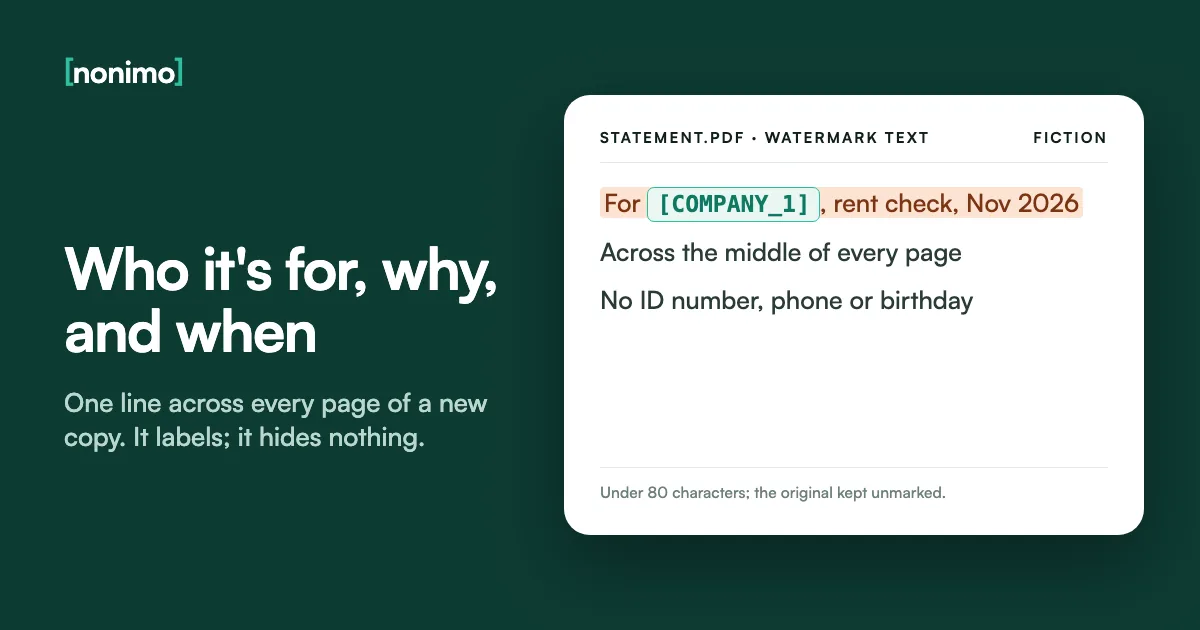
The wording does more work than the font or the angle. A single word such as COPY fits any misuse at all. A line naming a recipient and a reason does the opposite: on a copy that lands with the wrong company, it shows at once that it wasn’t sent to them.
Keep it under one line. Our watermark tool caps the text at 80 characters, which is a sensible limit anywhere, because a long line forces a small font. And leave yourself out of it: no licence number, no phone, no birthday. Adding them repeats an identifier on every page instead of protecting it.
Some people ask a chatbot to add the watermark for them. I can’t justify sending an ID photo to one for that: what happens to pictures you give ChatGPT is a separate question, and a local tool avoids it.
A watermark line for each kind of send
Pick the situation; swap in your own recipient. Every line fits in 80 characters.
Copy for 14 Fennimore Close tenancy check only · November 2026
Name the property rather than the agency: one agency may hold several of your applications in a busy month.
Copy for Hollins & Vane pre-employment check only · November 2026
Use the employer and the specific check, not "HR", which could be any company's HR.
Copy for Dunmarrow Credit Union membership check · November 2026
If the bank needs to read every field, keep the line light and away from the photo.
Copy for visa application, reference to follow · November 2026
If an office asks for an unaltered copy, its instructions win over anything on this page.
Fictional addresses and companies. The 80-character cap is the limit in Nonimo's watermark tool.
Diagonal, repeated or a single stamp: where it should sit
Placement decides whether the mark survives a pair of scissors. A small stamp in a corner can be cropped off in seconds and the copy is as good as clean. A mark that crosses the middle of the page runs over the content itself, so removing it means retouching what the recipient needed to read.
For a bank or employer you already deal with, one diagonal across the page is enough. For an app, a marketplace buyer or an agent you haven’t dealt with before, the repeated pattern is my recommendation, since it covers the whole page and leaves no clean corner to cut out.
A watermark only sits on top of the page. If the PDF began as a Word draft, clear out the tracked edits before you export, or old wording can travel inside the watermarked copy.
Three layouts compared
Choose by how much you trust the recipient.
| Layout | What it looks like | Hard to crop? | Good for |
|---|---|---|---|
| Single diagonal | One line across the centre, tilted | Yes, it crosses the content | A bank, an employer, a known agent |
| Repeated pattern | The text repeated in rows across the page | Yes, no clean area left | Strangers, apps, one-off sellers |
| Horizontal stamp | One straight line you place by hand | Only if it sits over the content | Drafts, internal copies |
Layout names as Nonimo's watermark tool labels them (Diagonal, Repeated, Horizontal). Word, LibreOffice and Acrobat reach the same results with their own angle and position settings.
Adding the mark in Word or LibreOffice before you export
If the document still exists as a Word file, Microsoft’s route is Design, then Watermark. Windows offers presets such as DRAFT and CONFIDENTIAL, plus Custom Watermark for your own text; the Mac dialogue adds font, size and orientation. Then save as PDF. Details in the body need Word’s own redaction steps before that save.
One catch is easy to miss. Word’s Document Inspector checks watermarks together with headers and footers, in one category called Headers, Footers, and Watermarks. Remove All on that row can take your watermark out with them. The rest of the inspection, field by field, is safe to run.
LibreOffice is free and gives you two routes. If one of your copies started life as a spreadsheet, names in the cells need clearing before export, because a watermark won’t touch them. For a PDF that matters, I prefer Format, Watermark over the export option: the export mark can’t be moved or resized.
Four ways to add the mark before the PDF exists
The highlighted row is the free route with the most control.
| Route | Menu | You control | Catch |
|---|---|---|---|
| Word for Windows | Design, Watermark, Custom Watermark | Text or picture, presets | Word for the web can't add or change one |
| Word for Mac | Design, Watermark, Text | Font, layout, size, colours, orientation | Invisible in some views; switch to Print Layout |
| LibreOffice Writer | Format, Watermark | Text, font, angle, transparency, colour | No font size; applies to the current page style only |
| LibreOffice PDF export | General tab, Sign with watermark | The text | Centred, vertical, light green; position and size fixed |
Microsoft Support, "Insert a watermark"; LibreOffice Help, "Watermark" and PDF export "General". The export watermark is not stored in the source document.
Acrobat’s Watermark tool, and why it has a Remove button
Acrobat calls this a watermark and keeps it under its editing tools. On desktop, open the PDF and select Edit, then Watermark, Add in the left pane. The source is either typed text or a file such as a logo, and you set opacity, rotation, size and position before confirming.
Apply to Multiple Files puts the same watermark on a batch of PDFs. For a stack of copies going to one recipient, nothing else covered here is quicker, and I’d rather set the wording once than retype it file by file.
The same menu has Watermark, Remove, which works on one file or several. That doesn’t bother me, as long as nobody mistakes the mark for protection. If a number must not leave your hands, Acrobat Pro has a separate Redact tool that deletes the text rather than writing over it.
Adding and removing, side by side
Both commands sit in the same Edit tools.
Add
Edit, then Watermark, AddSource: Text, or File for an imageAppearance: opacity, rotation, sizePosition on the pageOptional: Apply to Multiple FilesRemove
See all tools, Edit a PDFWatermark, RemoveAdd Files, select, OpenOK, pick an output folder, OKAdobe Help, "Add watermarks to PDFs" and "Remove watermarks".
Labelling a PDF on a Mac with Preview, for free
Preview has no command called Watermark. What Apple documents is the Text tool in the markup toolbar: type your text, drag the box where you want it, and change the font, style and colour with Text Style. Repeat that on every page, because nothing copies it across for you.
Saving is the step that decides everything. Apple says File, Save, File, Export and Export to PDF all leave annotations editable, so anyone can move or delete your line. To flatten it, choose File, Print, then Save as PDF. I’d send a Preview copy no other way.
Printing to PDF writes a new file, and new files pick up properties of their own. Before it goes out, the Mac’s route to a PDF’s hidden fields is a quick check.
Sending a Preview copy
Tick each one on the file you're about to attach.
Ticked: 0/5
Hold the email. Whatever is still unticked is how the line gets lost or lifted.
Flattened and marked. Send it.
Saving behaviour from Apple's "Annotate a PDF in Preview on Mac". The last box is our quick way to confirm the flattening worked.
A free watermark for an ID photo or scan, in your browser
A passport page or a driving licence needs a different tool. Nonimo’s photo tool at foto.nonimo.ai works in the browser and the photo stays on your device. It takes a photo (HEIC, JPG, PNG or WEBP) or a PDF and can join the front and back of a card into one PDF.
The panel offers three layouts (Diagonal, Repeated and Horizontal), four suggested lines, three fonts, colour, opacity, size and an angle with quick 0°, 15°, 30° and 45° buttons. You download PDF, PNG or JPG; a PDF adds a small line naming nonimo.ai. It can also blank out the document’s number and the birth date.
The tool sits on country pages, each tuned to one document, so filter the table by where yours was issued. For most ID copies, the repeated layout with the number covered is the combination I’d back.
Country guides that open the photo tool
Filter by where the document was issued.
| Country | Document | What it covers | Guide |
|---|---|---|---|
| United Kingdom | Passport photo page | For a letting agent or employer | UK passport copy guide |
| United Kingdom | Photocard driving licence | Both sides, for a hire firm or a new job | UK licence copy guide |
| United States | Passport book | Photo page for an employer or a landlord | US passport guide |
| United States | State driver's license | Rentals, car hire, job checks | Driver's license guide |
| Ireland | Passport card | Front and back in one PDF | Passport card guide |
| Ireland | Irish Residence Permit | Proof of status for work or renting | IRP card guide |
| Australia | Australian passport | An Australian rental or job application | Australian passport guide |
| Australia | Medicare card | One card can list a whole family | Medicare card guide |
| Australia | Victorian licence | Licence issued in Victoria | Victoria licence guide |
| Australia | NSW licence | Licence issued in New South Wales | NSW licence guide |
| Australia | Any state's licence | The card number sits in a different place by state | Card number, state by state |
| Australia | Payslip with a TFN | Take the tax file number out before an Australian agent sees it | Redacting a TFN |
Each row opens a nonimo.ai country guide with the photo tool preset for that document.
Why OCR and AI read straight through the mark
A semi-transparent line over a page is easy for software to read past. Google’s Cloud Vision documentation describes text detection that extracts text from any image. In a PDF that still has a text layer, nothing even needs recognising: the words sit in the file under the mark.
AI models read both. Anthropic’s documentation says that when you send a PDF to Claude, each page is converted into an image and the text from each page is extracted alongside it. A watermark changes neither. Even our tool’s output, which flattens each page into a picture, can be read back by OCR.
So the detail itself has to go. The GDPR’s minimisation rule, in EU and UK law, asks for data “limited to what is necessary”; Australia’s OAIC suggests blanking out what an agent doesn’t need. That means removing the text from the PDF, then marking the redacted copy. I don’t trust any other order.
Who can still read what's under the mark
The bottom row is the only one that stops all of them.
| Copy | Person looking | Copy and paste | OCR | AI model |
|---|---|---|---|---|
| Watermarked, text-based PDF | Yes | Usually, the text layer is intact | Not needed | Yes, text and page image |
| Watermarked scan or photo | Yes | No text layer | Yes | Yes, from the image |
| Redacted, then watermarked | No | No | No | No, the detail isn't there |
Google Cloud, "Detect text in images"; Anthropic, "PDF support". Assumes a redaction that deletes the text, not a box drawn over it.

One copy for a person, clean text for an AI
The watermarked PDF is for a human recipient: a landlord, an employer, a bank. If the next step is pasting that document into a chatbot to summarise it, the watermark adds nothing. Were the document mine, the model would get the text with names and numbers already swapped out.
Which assistant matters too. Read what OpenAI does with documents you upload before a payslip goes into ChatGPT.
For the text half, Nonimo takes the names and numbers out of the document before a model sees it, while the photo tool stays with the copy a person receives.
A person receives the copy
- Redact the numbers they don't need
- Watermark with recipient, purpose and month
- Send the flattened PDF, keep the original
The text goes to an AI
- Skip the watermark: the model reads past it
- Replace names, numbers and addresses first
- Paste or upload the cleaned version only
- On Microsoft 365, check whether Copilot learns from your prompts
Sources
- Adobe Help, “Add watermarks to PDFs”: definition, the difference from stamps, Edit, Watermark, Add, and Apply to Multiple Files.
- Adobe Help, “Remove watermarks”: Watermark, Remove for one PDF or several.
- Microsoft Support, “Insert a watermark”: Windows presets, the Mac dialogue, and the Word for the web limit.
- Microsoft Support, “Remove hidden data and personal information by inspecting documents”: the Headers, Footers, and Watermarks inspector in Word.
- LibreOffice Help, “Watermark”: Format, Watermark, its five settings and the page style limit.
- LibreOffice Help, PDF export “General”: Sign with watermark, fixed position and size, not stored in the source.
- Apple Support, “Annotate a PDF in Preview on Mac”: the Text tool, and flattening with File, Print, Save as PDF.
- Google Cloud, “Detect text in images”: OCR that detects and extracts text from images.
- Anthropic, “PDF support”: each page converted to an image, with its text extracted alongside.
- EUR-Lex, Regulation (EU) 2016/679 (GDPR): Article 5(1)(c), data minimisation.
- OAIC, “Tenancy”: blanking out details a real estate agent doesn’t need, and government related identifiers.
Accessed 10 November 2026.
Related guides
Common questions
Can I watermark a PDF without paying for Acrobat?
Yes. LibreOffice is free and has Format, Watermark in Writer. Word does it if you already have Microsoft 365, Preview does it on any Mac, and our browser tool marks ID photos and short scans.
Where is the watermark option in Adobe Acrobat?
Under Edit, then Watermark, Add in the left pane. Adobe's help lists text or an image as the source, opacity, rotation, size and position, and Apply to Multiple Files for a batch.
Can someone take a watermark off my PDF?
Often, yes. Acrobat has a Remove command for watermarks, and loose text added in Preview can be deleted. A large mark across the content is harder to strip cleanly than a small one.
Can ChatGPT or another AI still read a watermarked document?
Yes, in most cases. AI models and OCR read the text under a semi-transparent mark. Anthropic, for example, turns each PDF page into an image and extracts its text as well.
What should I write on a watermarked copy of my passport?
Who receives it, the reason and the month. For example: copy for a named letting agent, tenancy check only, then the month. Leave your passport number and date of birth out of the line.
Is watermarking the same as redacting a PDF?
No. A watermark adds a label on top and leaves every detail readable. Redaction removes the detail from the file. For a copy of an ID, do both: redact first, watermark second.
Does a watermark survive printing and scanning?
Yes, because it is part of the page image once printed. That also means a scan can be read back by OCR, so it still doesn't hide anything printed underneath.