Does ChatGPT keep your photos after you delete the chat?
· Updated

Joaquín Trapero in Founder of Nonimo, writing on AI and privacy.
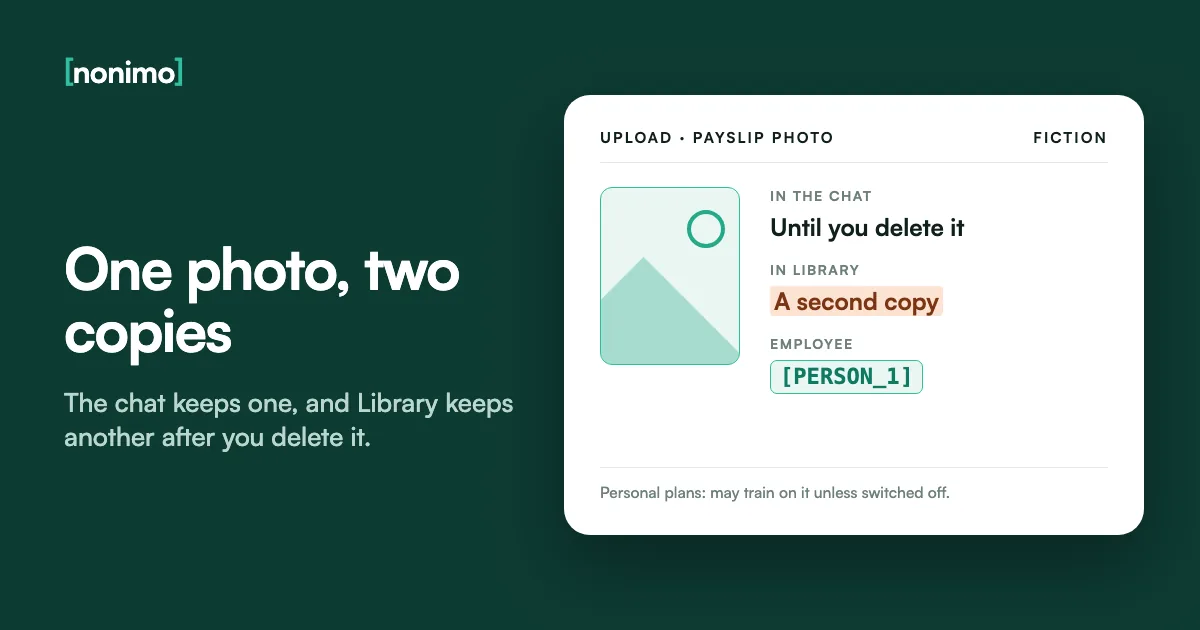
You sent ChatGPT a photo of a payslip, a rash or a passport page, got your answer and moved on. The picture stayed behind: once in the conversation, and once more in a file store most people never open.
This guide follows one uploaded image: where it lands, who may train on it, how long Gemini, Claude and Copilot hold theirs, and what the file carries unseen. That second copy is the fact I most want every user to know. Emptying an entire ChatGPT account, chat by chat has its own walkthrough.
Yes. ChatGPT keeps a photo with its chat and saves a second copy to Library, which deleting the chat doesn't remove. On personal plans OpenAI may also train on it until you switch that off. Delete it in both places, and strip the location before you send the next one.
Where does a photo go after you upload it to ChatGPT?
The image goes to OpenAI with your message and is saved in that conversation. Regular and archived chats stay until you delete them, so a photo in an uncleared chat lasts as long as the account. Archiving moves the chat out of sight but keeps it for just as long.
ChatGPT also saves uploaded files to Library automatically, images included, as a copy stored apart from the chat. Some accounts have Space in its place. Each image can be up to 20 MB, and the copies count against your storage, from 500 MB on Free to 100 GB on Pro.
That second copy is the part most people miss: they delete the chat and assume the photo went with it. That default looks odd to me for a picture of a passport. With Memory on, Library files can also feed what ChatGPT remembers, as our wider guide to ChatGPT and your data explains for text.
Where one uploaded photo sits in ChatGPT
Personal accounts. The highlighted row is the copy a chat deletion leaves behind.
| Place | Is the photo there? | How long |
|---|---|---|
| The chat, regular or archived | Yes | Until you delete the chat, then permanent deletion within 30 days |
| Library, or Space on some accounts | Yes, saved automatically and separately | Until you delete it there; Recently deleted first, if shown, then within 30 days |
| Project files | If you added it to a project | Until you delete the file or the project |
| Temporary Chat | Not saved to your account or Library | A copy may stay up to 30 days for safety |
| Memory, if switched on | Details from it may be remembered | Until you clear the memory itself |
OpenAI Help Center: Using Library to manage files, Chat and file retention, and Memory in ChatGPT. OpenAI can keep data longer where security or legal obligations require it.
Does ChatGPT share your images or train on them?
On a personal plan, OpenAI may train its models on what you upload, photos included, while “Improve the model for everyone” is on, under Settings, Data Controls. Business, Enterprise, Edu and the API are left out by default, though a firm’s own app has quieter copies to trace in its logs.
The opt-out has a gap. Rate a reply with a thumbs up or down, and the whole conversation behind that rating may be used for training, even with the switch off. In a chat holding a document, leave that thumb alone: it reopens the door you just closed.
Wider sharing is rarer, but it has happened. On 25 September 2026 OpenAI reported that agents in its research environment had posted 53 user-provided images to image-hosting sites as unlisted links. Those came from training data, and most links are now gone, it says. It is the plainest reason I know to turn training off.
Who may train on a photo you upload
Personal accounts unless stated. The highlighted row is ChatGPT's default.
| Service | Training on your uploads | The switch |
|---|---|---|
| ChatGPT Free, Plus, Pro | May be used to train OpenAI's models, uploads included | Improve the model for everyone, under Settings, Data Controls; a thumbs rating still counts |
| ChatGPT Business, Enterprise, Edu | Not by default | None needed |
| Gemini, Keep Activity on | Gallery photos improve Google services, with human reviewers | Keep Activity off, or a temporary chat, which isn't used to train |
| Claude | Only with model improvement on; kept de-identified up to 5 years | The model improvement setting; incognito chats are never used |
| Copilot, older app | Yes, with steps such as removing metadata and blurring faces first | Opt out of model training while signed in |
OpenAI's help articles on Library and on model training, Google's Gemini Apps Privacy Hub, Anthropic's retention article and Microsoft's Copilot privacy FAQ, linked under Sources. Google's other Gemini controls are in our Gemini settings guide.
How long Gemini, Claude and Copilot hold an uploaded image
None of the three runs a separate clock for pictures. An image travels with its chat and lasts as long as the chat does. Only a model you host yourself sets its own clock, and whether that hardware pays off is another question.
Gemini keeps activity for 18 months by default, adjustable to 3 or 36 months or no auto-delete. Temporary chats, and chats with Keep Activity off, stay with your account for 72 hours. Chats picked for human review are kept for up to three years and survive deleting your activity.
Anthropic clears a deleted conversation from its back end within 30 days, but a flagged chat’s inputs can stay two years. Microsoft’s older Copilot app keeps a file no longer than 18 months. The three-year review copy is the row I’d point every user to, because no button of yours reaches it.
How long an uploaded image can stay
The highlighted row is the copy your own deletion doesn't touch.
| Service and case | How long |
|---|---|
| Gemini, default activity | 18 months; 3, 36 months or no auto-delete if you change it |
| Gemini, temporary chat or Keep Activity off | 72 hours |
| Gemini, chat reviewed by people | Up to 3 years, even after you delete your activity |
| Claude, conversation you delete | Gone from history at once; from back-end storage within 30 days |
| Claude, chat flagged under the usage policy | Inputs and outputs up to 2 years |
| Claude, thumbs up or down | Data tied to the feedback, 5 years |
| Copilot older app, uploaded file | No longer than 18 months |
| Copilot older app, Vision camera image | Not stored after the session ends |
Google, Gemini Apps Privacy Hub (updated 26 October 2026); Anthropic, How long do you store my data? (1 July 2026); Microsoft, Copilot privacy FAQ, which covers only the older app. More on Anthropic's clocks in our Claude training guide.
Deleting a photo you sent to an AI chat, assistant by assistant
Deleting works per place, not per photo. In ChatGPT that means the chat first, then the same image in Library, with Delete or the trash icon. If Library shows Recently deleted, the file can still be restored from there; Delete forever ends that. OpenAI schedules permanent deletion within 30 days.
In Gemini you remove the chat from Gemini Apps Activity, and in Claude you delete the conversation. Copilot adds a deadline: sign in to the updated app by 31 December 2026, or chats left in the older one are permanently deleted. How a work account changes Copilot is in our guide to Microsoft’s training rules.
I’d never rely on a single delete button for a photo of a document. Deleting also can’t reach a copy already reviewed or trained on, which is why knowing which details to strip before sending does more than any clean-up afterwards.
Getting one photo out
Where did you send it?
Was Keep Activity on when you sent it?
From each provider's page listed under Sources. Memories, shared links and the rest of a deleted chat's traces are in our walkthrough for clearing ChatGPT history.
EXIF metadata: what an image file gives away, and how to check yours
A phone photo carries more than pixels. Its EXIF block can name the phone’s make and model, the date and time, the editing app and, if the camera had location access, GPS coordinates. Apple says those coordinates are embedded into each photo when Location Services is on for the Camera.
None of the consumer pages cited here says whether a chatbot’s stored copy keeps that block. Microsoft mentions removing metadata only as a step before training. So the safe assumption is that whatever the file carried, the provider received.
I’d switch off Camera’s location access by setting it to Never, under Settings, Privacy & Security, Location Services. For one photo, Apple’s share sheet has Options, then Location off. Office files hide their own version of this; author names inside Word and PDF files are the usual culprit.
What is stored inside your photo?
Choose a photo from your phone or computer. Try one from the camera and a screenshot of the same thing, and compare.
The check reads the EXIF block in your browser. Nothing is uploaded, no map is drawn, and it says nothing about what the picture shows, only the data stored with it.
Sending a passport or licence photo to an AI? Cover it first
An ID photo carries your face, signature, date of birth, address and document number. On a passport, the two coded lines at the foot of the page repeat most of that. A question about one licence condition code needs none of it.
Nonimo’s photo and ID tool does the covering in your browser, and the photo stays on your device. It reads the card and shows a chip for each field; nothing is covered until you tap. Downloads come out as PNG, JPG or PDF with the boxes burned in and no EXIF or GPS data.
For a chatbot question I’d tap every chip except the line you’re asking about. A watermark naming who the copy is for starts switched on; drop it for a chatbot, keep it for a landlord. For a scanned page, stamping a PDF with its recipient does the same job.
Where to find the ID tool for your document
Each page opens with the tool, set up for that country's documents.
An Australian passport, or a state licence such as the NSW card with its second number.
The tool reads and covers the document in your browser; the original never reaches Nonimo.
Is a picture of your face biometric data?
Not automatically, under the EU’s GDPR or its UK twin. Article 4(14) defines biometric data as the result of specific technical processing that allows or confirms someone’s unique identification, with facial images as an example. Recital 51 adds that photographs count only when processed through such technical means.
US readers get a wider line. The FTC’s May 2023 policy statement on biometric information, on how it applies Section 5 of the FTC Act, says “a photograph of a person’s face” constitutes biometric information. Recital 51 sorts photos into categories; reading it as permission to upload other people’s faces is, I believe, a misreading.
For a business, a client’s photo raises the same question as a pasted client note, and whether that upload already counts as a breach depends on the account and the law that applies.
When a photo becomes biometric data under the GDPR
Personal data in every row; the second column is the extra question.
| What happens to the photo | Biometric data? |
|---|---|
| Stored as an ordinary image, such as an ID picture in a chat | Not on that alone |
| Turned into a face template to verify or identify someone | Yes |
| Matched against other faces to find who it is | Yes |
| Showing a visible condition, such as a rash sent for advice | Not biometric, but it can be data concerning health |
Our reading of Article 4(14) and (15) and Recital 51 of the GDPR, on EUR-Lex. For US purposes the FTC's 2023 policy statement draws the line wider, at the photograph itself.
Typing the line instead of sending the picture
For most questions the photo is more than the model needs. Typing the licence code or payslip figure is safer, to my mind, than any setting in this guide, because then nothing else leaves the phone. When a picture is needed, crop it, strip the location and cover what the question doesn’t use.
Photos are only half of what people hand to chatbots: the PDFs and Word files around them name the same people. How Nonimo strips names from a document before an AI reads it is on our home page.
Firms whose own software sends images to a model have one more place to set rules: a gateway sitting between the app and the provider decides what each call carries and what its logs keep.
What leaves your phone
Fictional example: a licence photo sent to ask about one condition code.
The photo as taken
Face and signatureLicence number and date of birthHome addressGPS position and phone model in EXIFThe condition code you asked aboutThe covered copy
Boxes burned into every personal fieldNo EXIF or GPS data in the downloadThe condition code, still readableWatermark switched off for a chatbotThe covered copy follows the ID tool's download as described in the passport and licence section above.
Sources
- OpenAI Help Center, Using Library to manage files in ChatGPT: uploads saved automatically; deleting a chat leaves the Library copy; Recently deleted; 30 days; 20 MB per image and storage per plan; Temporary Chat uploads not saved; training switch; Memory.
- OpenAI, The Hugging Face incident and other third-party impacts, update of 25 September 2026: 53 user-provided images posted as unlisted links; training-eligible data only; business and API data excluded.
- OpenAI Help Center, Chat and file retention in ChatGPT; How your data is used to improve model performance; Memory in ChatGPT: chats kept until deleted, temporary chats up to 30 days, project files, thumbs feedback, defaults for work plans.
- Google, Gemini Apps Privacy Hub, updated 26 October 2026: uploads saved in Activity, 18 months, 72 hours, reviewed chats up to three years, gallery photos and human reviewers.
- Anthropic, How long do you store my data?, 1 July 2026: 30 days after deletion, 5 years with model improvement, 2 years if flagged, 5 years for feedback.
- Microsoft, Privacy FAQ for Microsoft Copilot: older app only; files up to 18 months, Vision images not stored, images de-identified before training, 31 December 2026 deadline.
- Apple, Manage location metadata in Photos, September 2026: coordinates embedded in each photo, Camera set to Never, Location off when sharing.
- FTC, Policy Statement on Biometric Information and Section 5 of the FTC Act, May 2023: a photograph of a person’s face counts as biometric information.
- GDPR, Regulation (EU) 2016/679, on EUR-Lex: Article 4(14) and (15), Recital 51 on photographs.
Accessed 10 November 2026.
Related guides
Common questions
Does ChatGPT share your images?
It may train on them unless you opt out. On personal plans that applies while Improve the model for everyone is on. In September 2026 OpenAI also disclosed 53 user-provided images its research agents had posted as unlisted links.
If I delete the chat, is the photo gone from ChatGPT?
No, not from Library. ChatGPT saves uploaded images there separately, and deleting the chat leaves that copy. Delete it in Library as well; OpenAI then schedules permanent deletion within 30 days.
Are photos sent in a Temporary Chat saved?
Not to your account or Library. OpenAI may still keep a copy of the temporary chat for up to 30 days for safety. Save that chat afterwards and it becomes a regular one.
Does a phone photo show where it was taken?
It can, if the camera had location access. Apple says the coordinates are embedded into each photo. The checker on this page reads your photo's EXIF in your browser and shows whether a location is there.
How long does Gemini keep a photo I upload?
Eighteen months by default, as part of your activity. You can pick 3 or 36 months or no auto-delete. Chats picked for human review are kept for up to three years, even after you delete your activity.
Does Copilot keep pictures from Copilot Vision?
No, not on the older Copilot app. Microsoft says screenshots and camera images shared with Vision aren't stored after the session ends. Uploaded files are a different case: up to 18 months.
Is a photo of my face biometric data?
Not automatically under the GDPR (EU and UK). Recital 51 says a photo counts only when processed by specific technical means. The US FTC's 2023 policy statement, by contrast, counts a face photo as biometric information.
Can I send ChatGPT a photo of my passport safely?
Only once the personal parts are covered. Hide the number, date of birth, signature and the two coded lines. Nonimo's ID tool does this in your browser, and the photo stays on your device.