How to redact PII from OpenAI and Claude API calls
· Updated

Joaquín Trapero in Founder of Nonimo, writing on AI and privacy.
When your code calls OpenAI, everything in the request body leaves your network: the user’s message, the system prompt your code wrote, the earlier turns, the tool results. Redaction means swapping the personal parts for placeholders before the call and swapping them back when the answer lands.
This guide follows one request through that loop, with code for openai-python and openai-node. The API is one of several exits; the other ways data slips out to AI tools need their own fixes. Everyone below is invented, and I want the loop visible in plain code before any product enters it.
Mask the whole request body before the SDK sends it, keep the placeholder table on your side, and restore values after the reply arrives. Streamed text needs a small buffer so split placeholders still match, and tool arguments get restored only after the JSON is complete.
What OpenAI keeps from each API request
Start with the provider’s side, because it sets the stakes. By OpenAI’s account, nothing sent through the API trains its models unless your organisation opts in. It does keep abuse monitoring logs, which may hold prompts and responses, for up to 30 days by default, and longer where the law or harm prevention requires it.
On top of that sits what OpenAI calls application state. Chat Completions keeps none by default. The Responses API keeps it for 30 days unless you send store: false. Zero Data Retention removes content from the abuse logs, but OpenAI grants it only after approval, and files, vector stores and conversations aren’t eligible.
I suspect some teams read all this as protection, and it isn’t. Thirty days is a copy you don’t control, and a retention setting doesn’t decide what goes in. Our page on what OpenAI does with business and consumer data covers the ChatGPT side; here the fix is to send less.
How long OpenAI holds API data, endpoint by endpoint
Defaults for an organisation without Zero Data Retention.
| Endpoint | Abuse monitoring logs | Application state | Zero Data Retention |
|---|---|---|---|
/v1/chat/completions | Up to 30 days | None (audio outputs: 1 hour) | Eligible, with limits |
/v1/responses | Up to 30 days | 30 days by default, or whenever store is true | Eligible, with limits; store treated as false |
/v1/conversations | Until deleted | Until deleted | Not eligible |
/v1/embeddings | Up to 30 days | None | Eligible |
/v1/files, /v1/vector_stores | Up to 30 days | Until deleted | Not eligible |
From OpenAI's API data controls page, accessed 10 November 2026. Zero Data Retention and Modified Abuse Monitoring need OpenAI's prior approval.
Which parts of a request can carry personal data?
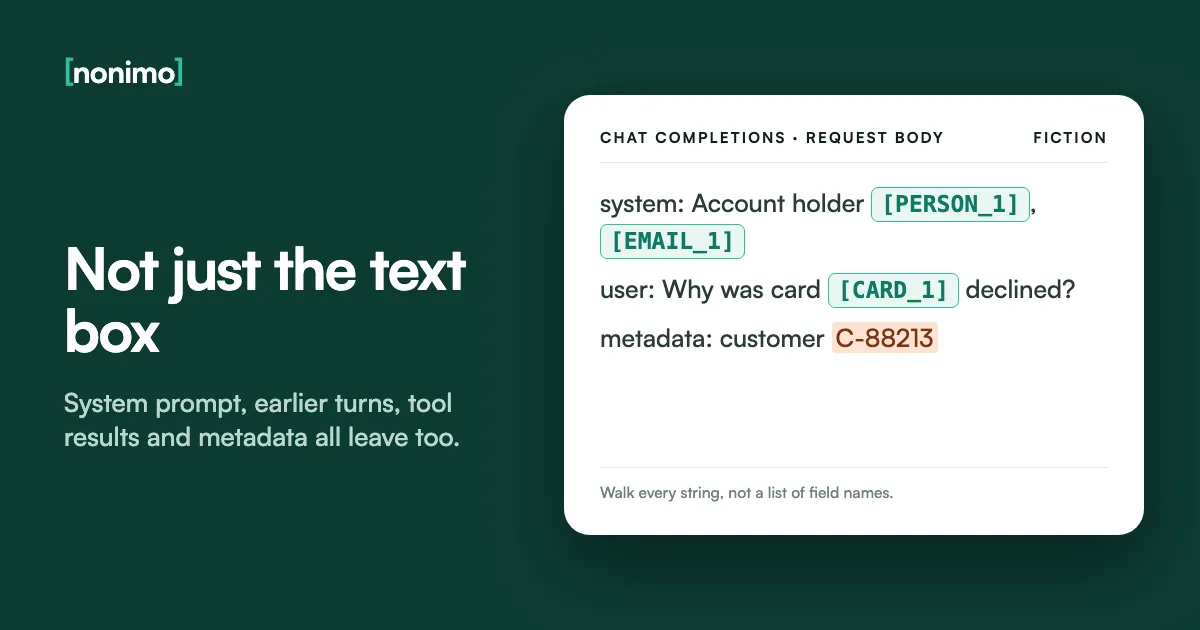
Filtering the text box your users type into covers only part of the body. The system prompt often carries account details your own code looked up. Earlier turns are resent on every Chat Completions call. Tool arguments are written by the model, and tool results are rows from your own database.
Two fields are easy to forget because they aren’t text for the model. OpenAI’s safety guide asks you to hash the username or email you send as safety_identifier, and metadata tends to collect customer IDs. For the categories that count as personal in the first place, see our field guide to which details need removing.
Claude’s Messages API has the same holes under other names. Its retention terms differ too, as our page on how Anthropic treats API and chat data explains. A list of field names worries me, because it goes stale the day someone adds a field. Walking every string in the body doesn’t.
Where personal data rides in each API
Pick the API your code calls.
| Field | What ends up there | Why it gets missed |
|---|---|---|
system or developer message | Account owner, case notes pulled from your CRM | Your code wrote it, so nobody calls it user input |
instructions | The same kind of context, as a top-level field | It sits outside input |
Top-level system | The same kind of context | It isn't in messages |
Earlier turns in messages | Everything said so far, resent each call | "Already sent", so it skips the filter |
previous_response_id or conversation | Earlier turns held by OpenAI, not resent by you | Whatever went out unmasked once stays in that state |
tool_calls[].function.arguments | A JSON string with names, emails, order numbers | The model wrote it, not a person |
function_call item arguments | The same, keyed by call_id | Arrives as an output item, not text |
tool_use block input | The same, as a JSON object | Not a string, so string filters skip it |
Tool results (tool message, function_call_output, tool_result) | Database rows you hand back | Goes in after the user's turn has been checked |
| Attached files and images | CVs, contracts, scanned forms | Text inside a PDF never meets your regex |
safety_identifier, metadata | User emails, customer IDs | Feels like plumbing, not content |
Field names from OpenAI's function calling guide and API reference, and Anthropic's streaming and tool-call pages. The right-hand column is our reading.
Masking emails, phones and card numbers with a regex
For fixed formats, the standard library is enough. The class below walks a whole request body, swaps each match for a numbered placeholder and remembers it. The same value always gets the same placeholder within a conversation, which keeps the model’s references straight. Python 3.9 or later, no packages:
import re

PATTERNS = {
    "EMAIL": re.compile(r"\b[\w.+-]+@[\w-]+(?:\.[\w-]+)+\b"),
    "PHONE": re.compile(r"\+\d[\d ()-]{7,16}\d"),
    "CARD": re.compile(r"\b\d(?:[ -]?\d){12,18}\b"),
}
PLACEHOLDER = re.compile(r"\[[A-Z_]+_\d+\]")
KEEP_AS_IS = {"model", "role", "type", "id", "tool_call_id", "call_id"}


class Swapper:
    """Keep one per conversation, on your side only."""

    def __init__(self):
        self.out = {}    # real value -> placeholder
        self.back = {}   # placeholder -> real value
        self.seen = {}   # how many of each kind so far

    def placeholder(self, kind, value):
        if value not in self.out:
            self.seen[kind] = self.seen.get(kind, 0) + 1
            ph = f"[{kind}_{self.seen[kind]}]"
            self.out[value], self.back[ph] = ph, value
        return self.out[value]

    def mask(self, text):
        for kind, rx in PATTERNS.items():
            text = rx.sub(lambda m, k=kind: self.placeholder(k, m.group()), text)
        return text

    def unmask(self, text):
        return PLACEHOLDER.sub(lambda m: self.back.get(m.group(), m.group()), text)

    def walk(self, obj, fn):
        """Apply mask or unmask to every string in a request or a tool's arguments."""
        if isinstance(obj, dict):
            return {k: v if k in KEEP_AS_IS else self.walk(v, fn) for k, v in obj.items()}
        if isinstance(obj, list):
            return [self.walk(v, fn) for v in obj]
        return fn(obj) if isinstance(obj, str) else obj
swap.walk(messages, swap.mask) returns a masked copy of the list you pass to the SDK. Look hard at what it misses: names, street addresses, dates of birth, phone numbers written without a country code, any national ID number. The card pattern has no Luhn check, so a long order number can trip it.
Regex suits columns with a known shape, which is why masking a CSV file column by column works so well with it. For free prose, my preference is never to lean on it alone. The table shows both lines as the class handles them, exactly as it prints them.
Two lines through the regex Swapper
Highlighted text left your network unmasked.
| Your code sends | OpenAI receives |
|---|---|
| Credit Ottoline Brackwater, card 4000 0566 5566 5556, and confirm to o.brackwater@example.org or +1 202 555 0164. | Credit Ottoline Brackwater, card [CARD_1], and confirm to [EMAIL_1] or [PHONE_1]. |
| Order 2024-0001-5567-8812 for Ms Brackwater, 14 Rowan Court, Springfield, phone (202) 555-0164, DOB 1981-04-03 | Order [CARD_2] for Ms Brackwater, 14 Rowan Court, Springfield, phone (202) 555-0164, DOB 1981-04-03 |
Output of the code above on Python 3.9, with invented data. In the second row the order number was taken for a card, a false positive that costs the model context.
Catching names: Presidio before the call
Names need something that reads context. Presidio is the open-source detector most teams reach for. It started at Microsoft and now lives with community maintainers under the data-privacy-stack organisation on GitHub, still MIT-licensed. Install presidio-analyzer and the spaCy model en_core_web_lg, then let it feed the same Swapper:
from presidio_analyzer import AnalyzerEngine

analyzer = AnalyzerEngine()  # first: python -m spacy download en_core_web_lg
KINDS = ["PERSON", "EMAIL_ADDRESS", "PHONE_NUMBER", "CREDIT_CARD", "IBAN_CODE"]


def mask_with_presidio(text, swap):
    hits = sorted(analyzer.analyze(text=text, entities=KINDS, language="en"), key=lambda h: h.start)
    kept, last_end = [], -1

    for h in hits:
        if h.start >= last_end:  # skip a hit that overlaps the one before
            kept.append((h.start, h.end, swap.placeholder(h.entity_type, text[h.start:h.end])))
            last_end = h.end
    for start, end, ph in reversed(kept):
        text = text[:start] + ph + text[end:]
    return text
We ran the test with presidio-analyzer 2.2.360 and en_core_web_lg on an invented line in British format: “Ottoline Brackwater rang from +44 20 7946 0958 about 14 Rowan Close, Leeds. Ask brackwater again tomorrow.” Name and phone were masked; “Rowan Close” became a second PERSON and the lower-case surname slipped through. Newer versions may differ.
Regex, Presidio or something else?
Do the requests contain names or addresses written in sentences?
Is nearly all of that text in English?
Will someone on your team own thresholds, recognisers and upgrades?
Our own sorting, based on Presidio's documentation on languages and its no-guarantee notice.
Presidio’s README warns that it can’t guarantee to find all sensitive information, and the default set-up is English only: every other language needs its own model and recognisers. Our look at Presidio and what to use instead goes deeper.
On English traffic, with someone paid to tune it, I’d run Presidio as a second layer after the regex, never as the only one, and rerun that test sentence after every upgrade.
Restoring placeholders in a streamed reply
With a whole response, swap.unmask(text) is the end of it. Streaming hands you text in fragments, and a placeholder can be cut anywhere: [EM in one chunk, AIL_1] in the next. Unmask each chunk alone and neither half matches, so hold back anything after an unclosed bracket:
def restore_stream(pieces, swapper, longest=24):
    """Yield restored text, holding back anything that may be half a placeholder."""
    held = ""

    for piece in pieces:
        held += piece
        cut = held.rfind("[")
        if cut != -1 and "]" not in held[cut:] and len(held) - cut <= longest:
            ready, held = held[:cut], held[cut:]
        else:
            ready, held = held, ""
        yield swapper.unmask(ready)
    yield swapper.unmask(held)


stream = client.chat.completions.create(model="gpt-5.5", messages=masked, stream=True)
pieces = (chunk.choices[0].delta.content or "" for chunk in stream if chunk.choices)
for text in restore_stream(pieces, swap):
    print(text, end="", flush=True)
The if chunk.choices guard matters if you ask for usage: OpenAI then sends a final chunk with no choices. In Node with the Responses API, the same idea sits inside the event loop. Save it as an .mjs file so top-level await works, and keep store: false if you don’t need the state:
import OpenAI from "openai";

const client = new OpenAI();
const back = { "[EMAIL_1]": "o.brackwater@example.org" }; // built when you masked the input
const unmask = (s) => s.replace(/\[[A-Z_]+_\d+\]/g, (t) => back[t] ?? t);

const stream = await client.responses.create({
  model: "gpt-5.5",
  input: "Write two lines confirming the payment to [EMAIL_1].",
  store: false,
  stream: true,
});

let held = "";
for await (const event of stream) {
  if (event.type !== "response.output_text.delta") continue;
  held += event.delta;
  const cut = held.lastIndexOf("[");
  const open = cut !== -1 && !held.slice(cut).includes("]") && held.length - cut <= 24;
  process.stdout.write(unmask(open ? held.slice(0, cut) : held));
  held = open ? held.slice(cut) : "";
}
process.stdout.write(unmask(held) + "\n");
Keep the placeholder table in memory or in a store with its own access rules, never in a log. Under the GDPR (EU and UK), that table is what makes this pseudonymisation rather than anonymisation, a line our guide to de-identified and anonymised data draws. I’d delete it when the conversation closes.
Three deltas, one placeholder cut in half
What the loop holds back and what the user sees at each step.
| Delta arrives | Held back | Shown to the user |
|---|---|---|
Hello, we have sent it to [EMA | [EMA | Hello, we have sent it to |
IL_1 | [EMAIL_1 | (nothing yet) |
]. Thanks. | (nothing) | o.brackwater@example.org. Thanks. |
Invented deltas fed through the Node loop above, with a local stand-in for the API instead of OpenAI (Node 24). The 24-character cap stops a stray bracket from holding text back for ever.
Tool calls: real arguments for your code, tags for the model
Function calling turns the loop inside out. The model writes arguments containing placeholders; your function needs the real values; the result goes back to the model and must be masked again. OpenAI returns Chat Completions arguments as a JSON string, so parse first, then restore, then run:
import json

reply = client.chat.completions.create(model="gpt-5.5", messages=masked, tools=tools)
msg = reply.choices[0].message
masked.append(msg.model_dump(exclude_none=True))  # placeholders only: safe to resend

for call in msg.tool_calls or []:
    args = swap.walk(json.loads(call.function.arguments), swap.unmask)  # real values
    result = find_invoice(**args)  # your own function
    masked.append({
        "role": "tool",
        "tool_call_id": call.id,
        "content": swap.mask(json.dumps(result)),  # masked again on the way back
    })
When streaming, never restore half-built arguments. Collect every fragment until the call is complete (response.function_call_arguments.done in the Responses API), parse, and only then unmask. With Claude the arguments arrive as input_json_delta pieces of a tool_use block, and the same rule holds.
One gap remains: the regex won’t see a name inside the CRM row your tool returns. I’m comfortable with tools that return IDs and figures; free text in a tool result should be the exception. LiteLLM users face the same question; what its Presidio guardrail restores and what it leaves covers their side.
The tool round trip in each API
Where the arguments arrive and where the masked result goes.
Arguments: message.tool_calls[].function.arguments, a JSON string. Streamed as string fragments.
Result back: a message with role: "tool" and the matching tool_call_id.
Arguments: a function_call output item with call_id and JSON-encoded arguments. Streamed as response.function_call_arguments.delta events, closed by .done.
Result back: a function_call_output item with the same call_id.
Arguments: a tool_use content block whose input is an object. Streamed as input_json_delta events carrying partial_json.
Result back: a tool_result block in the next user message.
From OpenAI's function calling guide and Chat Completions reference, the openai-python streaming helpers, and Anthropic's streaming and tool-call documentation, accessed 10 November 2026.
Keeping prompts out of SDK logs and traces
A careful masking layer can still leak through logs. Turn on OPENAI_LOG=debug in Python and the SDK logs the request options, message bodies included; we checked _base_client.py in openai-python 2.48.0, and later releases may change it. The Node SDK’s README says it summarises bodies by format and length instead of printing them.
Mask before the SDK and its log holds placeholders. Put the masking in a proxy instead and your app’s debug log still holds the originals, so I’d keep that log level off in production either way. HTTP middleware, APM traces and error reporters capture bodies too; check which side of the masking each sits on.
A self-hosted proxy writes logs of its own; deploying a gateway with Docker, step by step shows where they end up. Then plant invented canary values in the system prompt, an earlier turn, a tool result and a tool argument. Assert that none reach a staging stand-in for the provider and all come back.
Before an API integration with personal data goes live
Tick what is already true.
0 of 6 in place
Not ready: at least one copy of the original text is still being written somewhere.
Close the remaining gaps before real customer data goes through.
Ready for a pilot with real traffic, with the canary test still running.
Our list. The SDK behaviour is from the openai-python source and the openai-node README; store from OpenAI's data controls page.

When to hand the swap to a proxy
For one script with one obvious field, I’d keep the code above. A third service needs its own walker, table, stream buffer, tool handling and canary test, and a new script calling OpenAI directly skips it all. That logic usually moves into an AI gateway, which we explain from the ground up.
Nonimo Gateway handles the swap from a container you install inside your own network. It speaks Chat Completions and Responses, streaming and function calling included, plus Claude’s Messages API. Your services change only the base_url. By default a request isn’t sent if detection fails, and the log counts data types without keeping values.
None of this covers staff pasting client files into ChatGPT in the browser; the Gateway never sees that traffic. Nonimo for organisations is built for that side.
Masking in your code or in front of it
Keep the code in this guide
- One service, one or two fields that carry personal data
- Fixed formats only, or English text with Presidio tuned by your team
- No streaming, or one stream handler you already test
- Someone owns the canary test
Point the SDKs at a proxy
- Several services or scripts call OpenAI or Claude
- Streaming chat, agents with tools, or both
- Names in free text, and ID numbers from more than one country
- A DPO wants a log of what went out, without the data in it
Our dividing line, for code that calls an API. If someone has already pasted client data into a chatbot, start with whether that counts as a data breach.
Sources
- OpenAI, data controls in the OpenAI platform. No training by default; abuse logs up to 30 days; endpoint table;
store; Zero Data Retention approval. - OpenAI, function calling. JSON-encoded
arguments,call_id,function_call_outputand streamed argument events. - openai-python, README and helpers.md (on GitHub).
OPENAI_LOGlevels; Chat Completions tool arguments streamed as JSON string fragments. - Presidio, repository. Now under data-privacy-stack, MIT licence, no guarantee of finding all sensitive information.
- Presidio, project transition note (docs/project_transition.md in the same repository). From a Microsoft-owned project to community governance.
- Presidio, getting started with text.
presidio-analyzerand theen_core_web_lgmodel. - Anthropic, streaming messages.
text_delta,input_json_deltaandtext_stream. - Anthropic, handle tool calls.
tool_useinput as an object;tool_resultblocks in the next user message. - GDPR, Regulation (EU) 2016/679, on EUR-Lex. Recital 26 on pseudonymised data.
- OWASP, LLM02:2025 Sensitive Information Disclosure. Pattern matching to redact confidential content before processing.
- OpenAI, Chat Completions API reference (developers.openai.com).
storedefaults to false; tool messages. - OpenAI, safety best practices (developers.openai.com). Hash the username or email sent as a safety identifier.
- openai-node, README (on GitHub). Debug logging summarises request bodies by format and length.
Accessed 10 November 2026.
Common questions
How long does OpenAI keep API prompts?
Up to 30 days in abuse monitoring logs, by default. Those logs can hold prompts and responses. Responses API calls also keep application state for 30 days unless you send store: false.
Does store: false stop OpenAI keeping my prompts?
No, it only switches off stored application state. The abuse monitoring logs still apply. Excluding content from those needs Zero Data Retention or Modified Abuse Monitoring, which OpenAI approves case by case.
Can I send a user's email address as safety_identifier?
No, hash it first. OpenAI's safety guide asks you to hash the username or email so nothing identifying reaches it. For visitors who aren't signed in, a session ID will do.
Can a regular expression redact PII before an OpenAI call?
Only fixed formats such as emails, card numbers and phone numbers with a country code. A regex can't tell a surname from a street name, so names need a model, a client list or both.
Does OPENAI_LOG=debug write prompts to my logs?
In the Python SDK, yes. At debug level it logs the request options, message bodies included. The Node SDK's documentation says it only summarises request bodies by format and length.
Is a prompt with placeholders anonymous under the GDPR?
No, not while you keep the table that maps placeholders back. Recital 26 treats pseudonymised data that can be re-linked to someone as information about an identifiable person.
Can Presidio find names before I call the OpenAI API?
Yes, its PERSON entity uses a spaCy model, English by default. Its own repository warns there is no guarantee it finds all sensitive information, so test it on text like yours.